
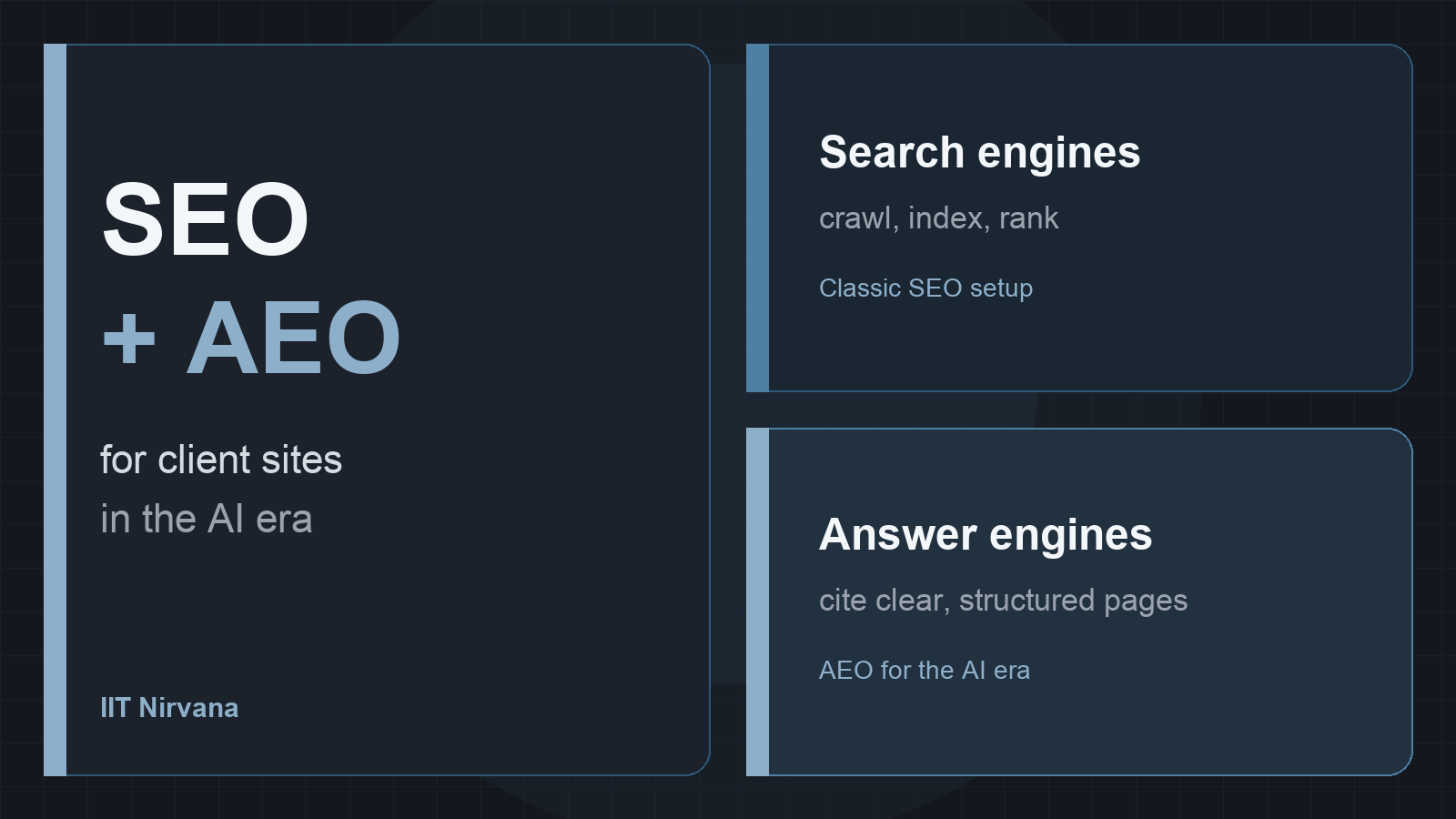
Search still sends people to websites. AI answer engines now also cite websites. That means a client site can no longer treat SEO as a checklist you run after launch. Frontend teams need a setup that works for classic search and answer engines — and a clean handoff when the old site is replaced.
Product partners and frontend teams shipping marcomm sites, apps, or AI surfaces — especially when a redesign has to keep the traffic the old site already earned.
SEO vs AEO, in one minute
Search engines
Help Google and Bing discover pages, understand them, and rank them for queries.
- Crawl files + sitemap
- Titles, H1, internal links
- Core Web Vitals
Answer engines
Help AI systems quote the right page when someone asks for a clear fact.
- Plain-language answers
- FAQ + JSON-LD
llms.txt+ citations
They overlap. Clean HTML, one H1, a real title and description, structured data, and crawl files help both. AEO adds an extra requirement: the answer must already exist on the page in plain language, not only in a marketing slogan.
If the page cannot answer the question in two sentences, answer engines will cite someone else.
Setup steps we put on every client site
Ownership and crawl basics
Verify Search Console on the homepage only. Ship robots.txt, a full sitemap.xml, and an llms.txt summary answer engines can skim.
Metadata search and social can reuse
Unique title + description, canonical, Open Graph, and Twitter cards — kept in sync so shares never look broken.
Structure humans and machines can parse
One H1, logical H2/H3 sections, working internal links, and JSON-LD that matches what is visible on the page.
Performance as ranking hygiene
Fast FCP on phone and desktop, compressed images with alt text, and no late JS gate in front of indexable copy.
robots.txt that points crawlers the right way
# Allow indexing, point to the sitemap
User-agent: *
Allow: /

Sitemap: https://example.com/sitemap.xml

# Optional: be explicit for AI crawlers you want
User-agent: GPTBot
Allow: /

User-agent: Google-Extended
Allow: /
Page metadata that stays in sync
<title>Product partner for sites, apps, and AI | Acme</title>
<meta name="description" content="We build the site, app, or AI agent your company needs to grow." />
<link rel="canonical" href="https://example.com/" />

<meta property="og:title" content="Product partner for sites, apps, and AI | Acme" />
<meta property="og:description" content="We build the site, app, or AI agent your company needs to grow." />
<meta property="og:image" content="https://example.com/assets/share.png" />
<meta property="og:url" content="https://example.com/" />
<meta name="twitter:card" content="summary_large_image" />If <title> and og:title disagree, LinkedIn and Slack previews look broken. One source of truth for both.
JSON-LD that matches the page
{
  "@context": "https://schema.org",
  "@type": "Organization",
  "name": "Acme",
  "url": "https://example.com/",
  "logo": "https://example.com/assets/logo.png",
  "sameAs": [
    "https://www.linkedin.com/company/acme"
  ]
}
llms.txt for answer engines
# Acme
> Product partner for companies that need the right site, app, or AI agent.

- Home: https://example.com/
- Services: https://example.com/#engineering
- Case studies: https://example.com/case-studies/
- Contact: hello@example.com
Where to focus if the goal is more traffic
When a client asks “how do we get more traffic?”, these are the areas that usually move the needle first.
Services, locations, comparisons, FAQs, and case studies beat a pretty homepage that ranks for nothing.
State the answer in one or two sentences near the top. Match FAQ copy to FAQ schema.
HTTPS, clean canonicals, real 404s, sitemap in GSC, and Core Web Vitals after every release.
Test Open Graph previews before launch. A missing image wastes every campaign click.
Search Console for queries + coverage. Analytics for landing pages. Fix low-CTR titles monthly.
If you replace a site, move URL equity with 301s — do not relaunch as if day zero.
Migrating from an old website without losing rankings
A redesign or replatform should not start traffic at zero. Ranking equity lives on URLs. Move people and search signals from old URLs to matching new ones — cleanly, permanently, and in one hop.
1. Inventory before cutover
- Export indexed URLs from Google Search Console.
- Pull top landing pages from analytics (sessions + conversions).
- Crawl the old site for status codes, titles, and internal links.
- List high-value backlinks you can still update.
That list becomes the migration map. If a URL ranks or converts, it needs a deliberate destination — not a homepage dump.
2. One-to-one redirect map + server config
Ship 301 redirects, not 302. Prefer same intent. Avoid chains (A → B → C); make it A → C.
{
  "hosting": {
    "redirects": [
      {
        "source": "/services/seo",
        "destination": "/services/seo/",
        "type": 301
      },
      {
        "source": "/about-us.html",
        "destination": "/about/",
        "type": 301
      },
      {
        "source": "/blog/:slug",
        "destination": "/blog/:slug/",
        "type": 301
      }
    ]
  }
}server {
server_name old.example.com example.com;
return 301 https://www.example.com$request_uri;
}
# Path-level map on the new host
location = /about-us.html {
return 301 /about/;
}window.location = … is fine for apps, not for transferring rankings. Configure 301s at the host, CDN, or reverse proxy so crawlers see them.
3. Keep the content signal familiar
- Preserve titles, H1 themes, and the answers that already ranked.
- Improve layout and speed — do not gut the copy that earned the ranking.
- Carry FAQ blocks and structured data when answers still apply.
- Point new internal links at new URLs directly (skip the redirect hop).
4. Tell Google the site moved
- Verify old and new properties in Search Console.
- Domain change? Use Change of Address after 301s are live.
- Submit the new sitemap; request indexing for homepage + money pages.
- Watch Coverage, 404s, and “Page with redirect” for two to four weeks.
5. Protect channels that still send people
- Update ads, email, QR codes, and social bios.
- Fix backlinks you control (partners, directories, your other sites).
- Leave 301s up for months — often indefinitely on high-value paths.
- Update
llms.txtand Organization JSON-LD to the new canonical.
What not to do
Redirecting every old URL to the homepage, launching a new domain with no redirects, blocking old URLs in robots.txt before redirects are proven, or changing URL structure + CMS + domain in the same week without a tested map.
A client SEO/AEO checklist we run before go-live
- Homepage has GSC verification, title, description, keywords, OG/Twitter, and Organization JSON-LD.
robots.txt,sitemap.xml, andllms.txtare live and reachable.- Every indexable page has one H1, unique title/description, and working internal links.
- Blog and case study pages have article metadata and share images.
- FAQ answers on the page match FAQ schema.
- Mobile layout and page speed are acceptable on a mid-range phone.
- Sitemap submitted in Search Console; important URLs requested for indexing.
- Replacing a site? Old→new 301 map tested, no chains, Change of Address done on domain change.
What frontend teams should own
SEO/AEO is not only a content job. Frontend owns the markup, routing, metadata pipeline, crawl files, share cards, redirect map, and performance budget. Content owns the answers. Product owns the offer. When those stay separate, the site looks finished but does not get found.
If you are shipping marcomm sites, apps, or AI surfaces for a client, treat discoverability as part of the product. That is how the site earns traffic in search results and in AI answers — and how a redesign keeps the traffic the old site already earned.
Bottom line
In this AI era, a client website needs ranks, citations, and a clean handoff from whatever came before. Start with crawl files, honest metadata, structured data that matches the page, and pages that answer real questions. When you replace a site, move URLs with permanent one-to-one redirects and monitor Search Console until the new index settles.